What Figma announced
Figma shipped the feature in its release notes ((new tab)) of 17 November 2026, rolling out over a few days. It is limited to Organization and Enterprise plans, and only organisation admins can configure it.
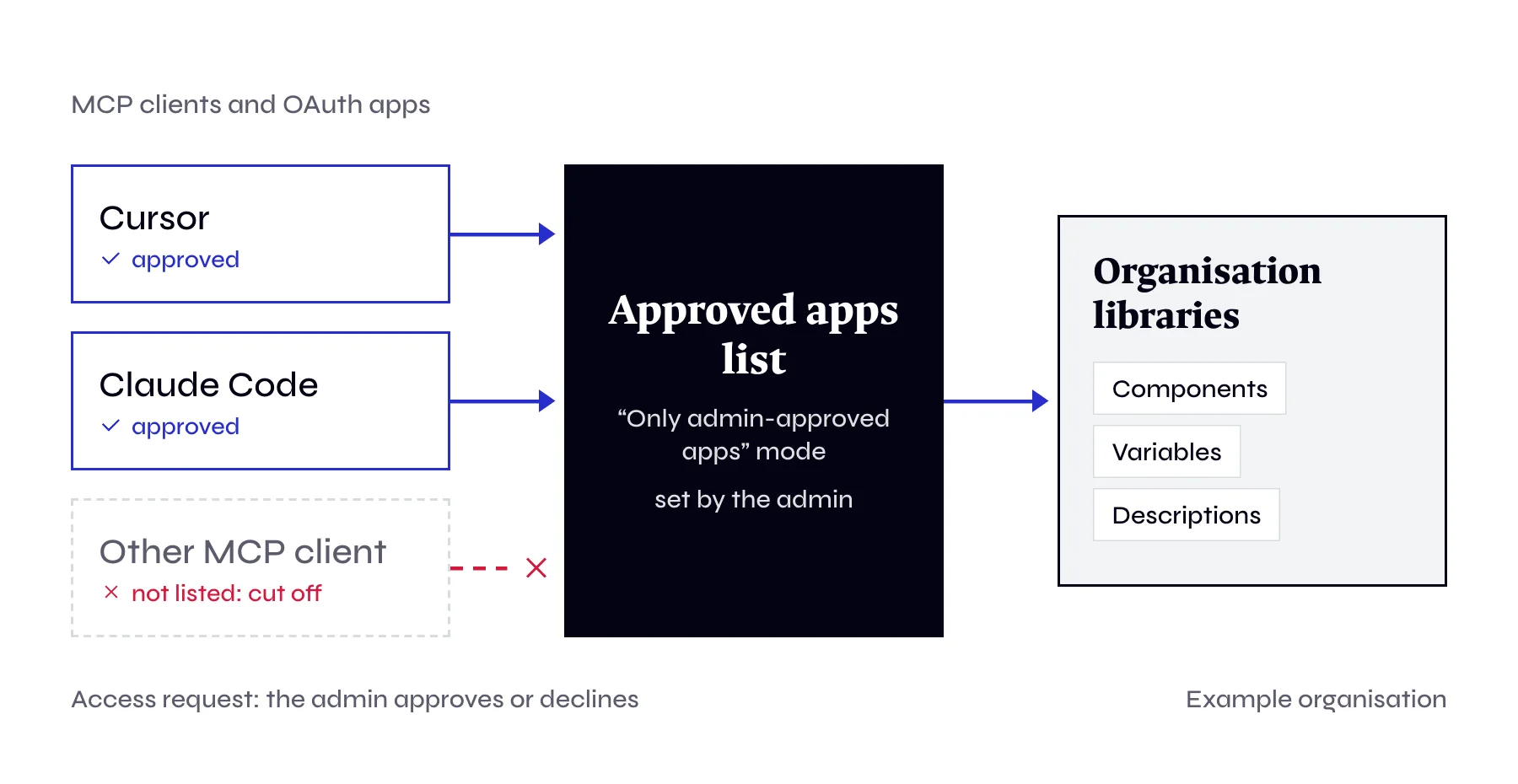
The setting lives in the admin console, under Extensions, then Apps, then Settings.You can also reach it through Admin, Settings, Connections, Apps. The help page ((new tab)) states that these controls cover MCP clients, such as Cursor and Claude Code, and other OAuth apps that connect to Figma.
The two modes, and the one that cuts existing access
| Mode | What gets through | Existing connections | Member requests |
|---|---|---|---|
| “Allow all apps” (default) | Every app, no approval | Kept | Not needed |
| “Only admin-approved apps” | Only the apps on the list | Cut off if the app is not listed | Possible when “Allow plan members to request apps” is ticked |
Watch outStrict mode also applies to existing connections: an app that is not on the list loses access, even if someone had already authorised it. A developer generating components with an MCP client will be cut off.
In strict mode, the “Allow plan members to request apps” checkbox lets members request an app. Admins handle requests from the dashboard and approve or decline them, with an optional reason. A decline does not block future requests. Approval also covers the permissions the app asks for: if it asks for more later, they need approving again.
What is still unclear
The help page does not say whether the allowlist also covers the local MCP server of the desktop app. It does not mention VS Code among its examples either. Until Figma clarifies, check on your own organisation what gets through and what is blocked.
What it changes for a design system
Until now, governance of a Figma library was about people: who can publish, who can edit, who can only consume. Agents brought a new kind of reader, one that reads your components, variables and descriptions to produce code. Most governance rules do not mention them at all.
The allowlist gives you a place to write that rule down. It also forces a question many teams have put off: which agents do we actually want reading the source of truth, and what for? An agent that turns your Figma components into code will only read well what you have documented well. Component descriptions, variable names and annotations become documentation read by machines as well as people.
What I suggest you do now
Before switching to strict mode
0 of 5
Frequently asked questions
Organization and Enterprise. Only organisation admins can configure it.
Yes. An app that is not on the list loses access to the organisation’s resources, even if someone had already authorised it.
In the admin console: Extensions, then Apps, then Settings. You can also reach it through Admin, Settings, Connections, Apps.
Figma’s help page does not say. Check on your own organisation what gets through and what is blocked.